Learn together.
Practise together.
Play together.
Play Acorn Chess mini-games online with friends, classmates and clubmates — directly in your browser.
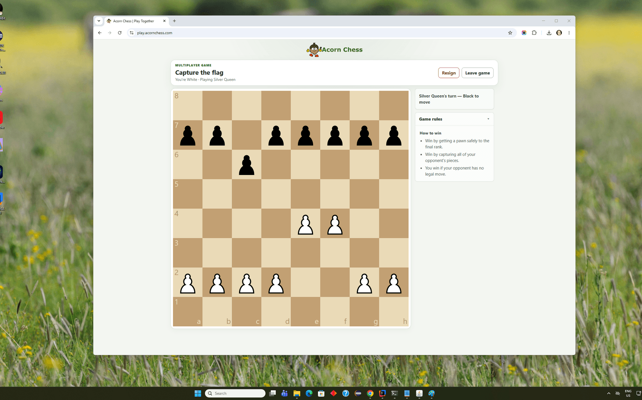
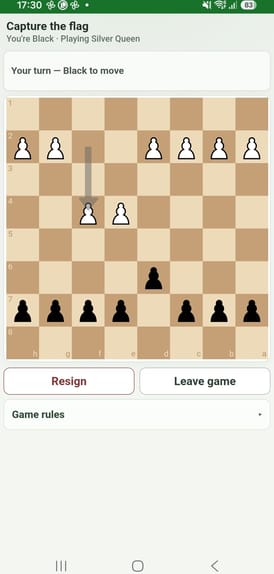
Perfect for learning and playing together
Whether at school, at a chess club or at home, Acorn Chess makes it easy for children to play together.
Schools & Teachers
Create a private group in your browser and let pupils practise Acorn Chess mini-games together from classroom computers, Chromebooks or tablets.
Chess Clubs & Coaches
Give students an easy way to practise together during sessions or between lessons, using a computer, tablet or phone.
Families & Friends
Let children play with siblings, friends and family wherever they are — any device, anywhere with easy to share QR code to join a group.
Play wherever you are
Computer, tablet or phone — all you need is a web browser.
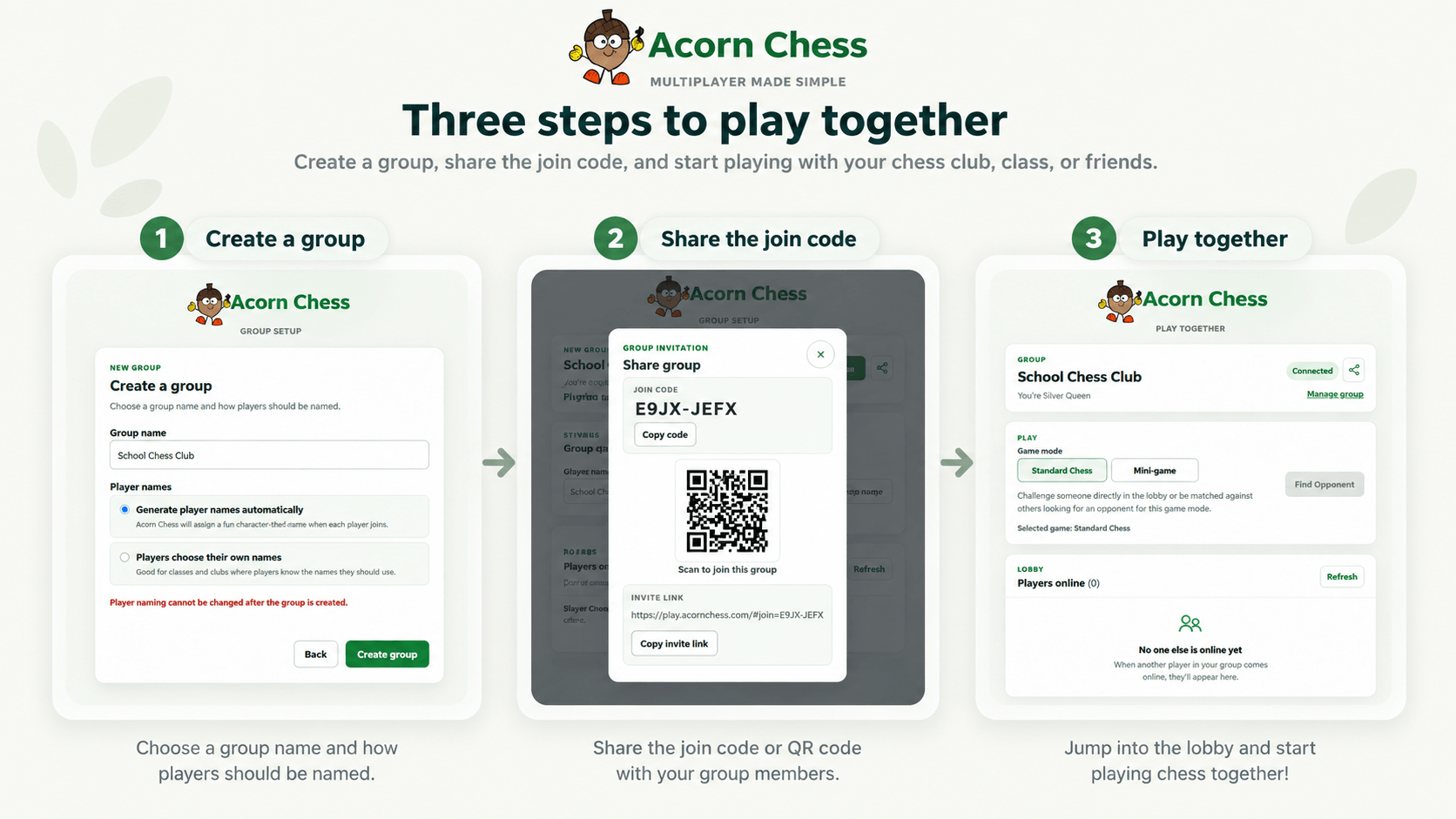
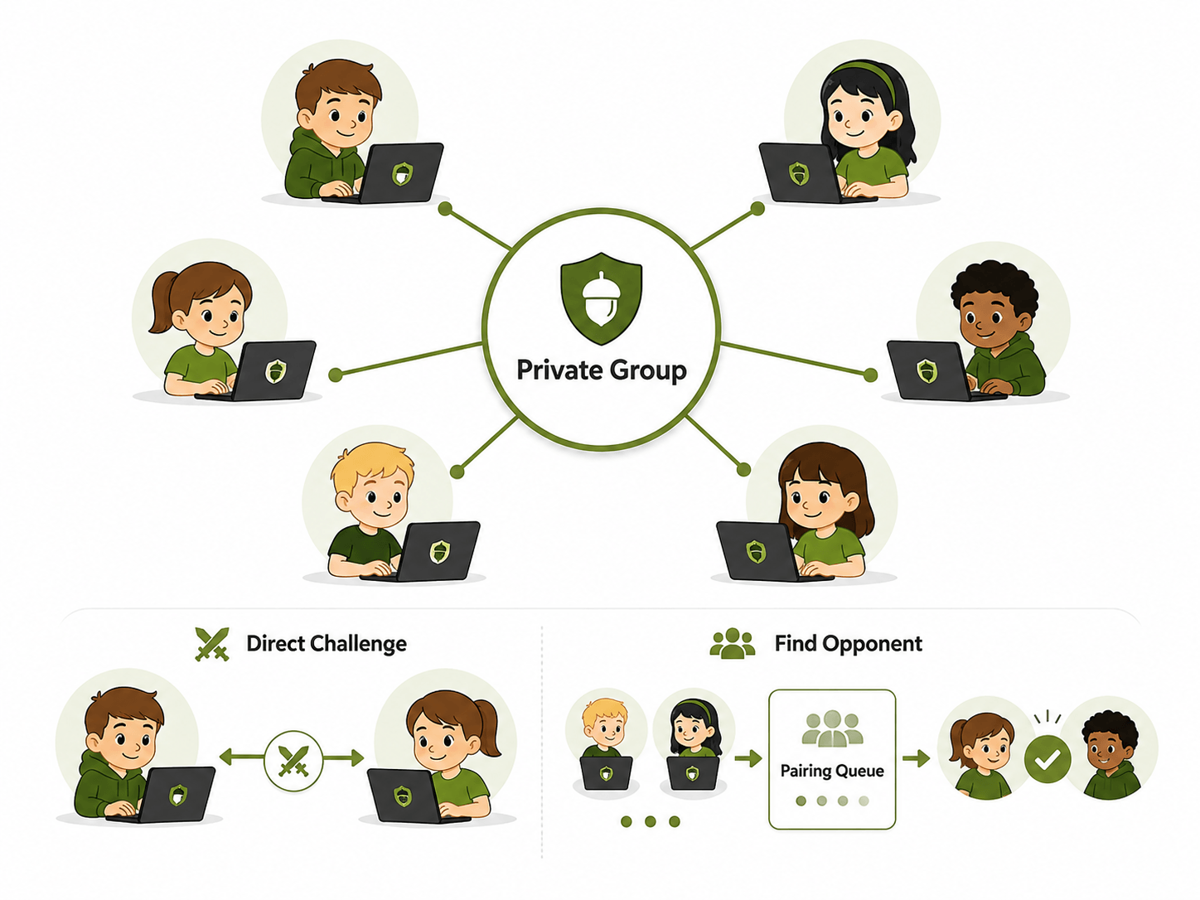
Play people you know
Play online with friends, classmates and clubmates — not random opponents.
Create private groups
Bring together players from your school, chess club, class or family.
Challenge specific players
Choose who you want to play and challenge them to a mini-game or a full game of chess.
See who's available
See when other players in your group are online and ready to play.
See Acorn Chess multiplayer in action
See Acorn Chess multiplayer working across computer, tablet and phone.
Need help getting started? View the step-by-step multiplayer guide.
Do children enter any personal information?
No account or email address is required to play online. Group organisers can also choose automatically generated player names so children don't need to provide their real names.
Can players send messages or share content?
No. Acorn Chess does not provide chat, messaging, image sharing or other social features between players.
Who can my child play against?
Children can only play other members of their private groups, such as friends, classmates or chess club members. Even automatic matchmaking only finds opponents from within those groups.
What devices can I use to play online?
Acorn Chess online is designed to work in modern web browsers on desktops, laptops, Chromebooks, tablets and phones.
Do I need to install Acorn Chess to play online?
No. You can create or join a group and play multiplayer directly from a supported web browser on a computer, tablet or phone.
How do I create a group?
Teachers, coaches, parents and other group organisers can create and manage a private group directly from their browser. Create a group
Ready to play together?
Create a private group, invite your players and start practising together — directly from your browser.